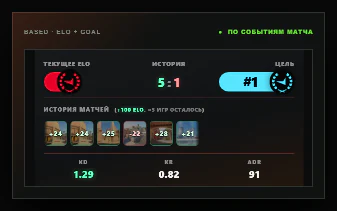
Based
ELO, a goal and session results in your main overlay.
 upceitWIDGETSWidgets
Choose a FACEIT widget for OBS Studio or Streamlabs: ELO, goals, match history and CS2 stream stats. Explore previews, themes, transparent overlays and URL setup.
Choose a layout for the space on your scene: a wide panel, vertical block, card or minimal bar. Previews let you inspect the design before signing in.
ELO, a goal and session results in your main overlay.
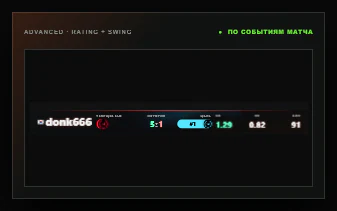
A wide panel with performance stats, Rating, Swing and match history.
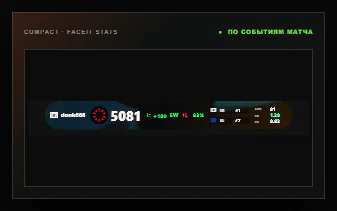
A compact stats bar for a scene with limited space.
An avatar, FACEIT level, ELO and player performance in one card.
A horizontal layout with player identity, session results and stats.
Vertical stats designed to sit beside a webcam.
An ELO chart shows how your gaming session develops.
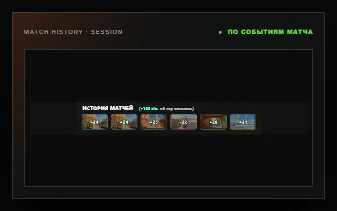
A line of wins and losses with ELO changes after matches.
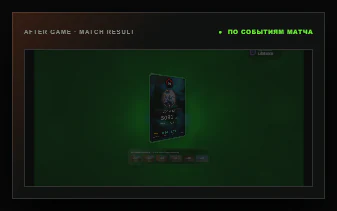
The completed match result, ELO change and performance stats.
A minimal layout when your stream only needs ELO.
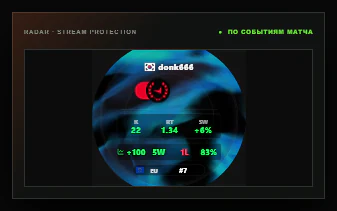
An overlay covers the CS2 radar from stream viewers.
Tracker is for exploring a profile in your browser. Widgets are dedicated overlays for an OBS broadcast.
No. A connected widget receives stats updates. Results depend on when FACEIT publishes the data.
No. Available blocks and settings depend on the widget. After Game appears after a match, while Runway charts the session.
A FACEIT widget for OBS is an overlay with player stats on a CS2 broadcast. You may also know it as a FACEIT ELO counter, stream widget or FACEIT stats overlay. Upceit provides a personal URL: OBS opens it as a Browser Source and viewers see selected stats beside your game or webcam.
Start with the information your viewers need: current ELO only, ELO with a goal, session wins and losses, or advanced stats. The catalog includes minimal, horizontal and vertical layouts with previews available before sign-in.
To show FACEIT ELO on stream, use Based for rating and a goal or Simple for a minimal display. For ELO gained during a stream and recent results, compare Runway and Match History. These layouts answer different questions: current rating, session gains and the results of recent matches.
The widget updates once FACEIT processes the match. Rating and Swing sometimes arrive later; After Game can wait for these metrics.
In Streamlabs Desktop, add a Browser Source and paste your UPCEIT widget URL.
Compare Compact and Profile Card for a small block beneath a webcam, or Pulse for a vertical panel beside it. Player Strip suits a horizontal bar and Advanced a wide stats panel. Keep important CS2 HUD elements visible and check the source dimensions in the preview.
Themes help match a light or dark FACEIT overlay to your Twitch channel design. Supported layouts let you customize transparency, blocks and corners. You do not need to edit CSS manually for the generated Browser Source URL.
If OBS or Streamlabs displays a size message, compare width and height with that layout’s settings. If you see a connection screen instead of stats, check the personal URL and selected FACEIT profile. For a transparent overlay, use a Browser Source rather than capturing the configuration page.
If a completed match has not changed ELO yet, check whether FACEIT has published the result. Advanced metrics may be calculated separately. Copy your personal URL from your profile; a public Tracker URL or demo preview does not replace your configured source.
Do I need a FACEIT plugin for OBS? A regular web overlay only needs a Browser Source URL. Based’s adaptive mode is a separate feature using a CS2 GSI configuration.
Can I show FACEIT ELO on Twitch using Streamlabs? Yes: place the Browser Source on your scene for viewers to see. The !elo chat command is configured separately from the visual overlay.
Do I need to edit my rating after each match? A connected widget receives data updates. Its content depends on the selected profile, available metrics and FACEIT publishing the result.